
You've already made the smart move to implement Keeper Security for your business, but are you getting everything out of it that you could? Most Northern Michigan businesses we work with start with the basics: storing passwords and sharing them securely with their team. That's great, but Keeper offers so much more that can transform your cybersecurity posture and boost productivity across your organization.
Let's dive into the advanced features that can take your password management from good to exceptional, and explore how our team at NTS helps businesses just like yours unlock Keeper's full potential.
Master Your Security Posture with Password Auditing
Think of Keeper's password audit as your personal cybersecurity checkup. This powerful feature scans all stored passwords and gives you a comprehensive security score that shows exactly where your vulnerabilities lie.
Here's what the audit reveals:
- Weak passwords that don't meet current security standards
- Duplicate passwords used across multiple accounts (a major no-no!)
- Old passwords that haven't been changed in months or years
- Compromised passwords that have appeared in known data breaches
The best part? You don't need to manually review hundreds of passwords. Keeper's audit dashboard presents everything in an easy-to-understand format with color-coded risk levels. We've helped businesses in Petoskey and Harbor Springs discover that 40% of their stored passwords were weak or duplicated: imagine the security improvement when those get fixed!
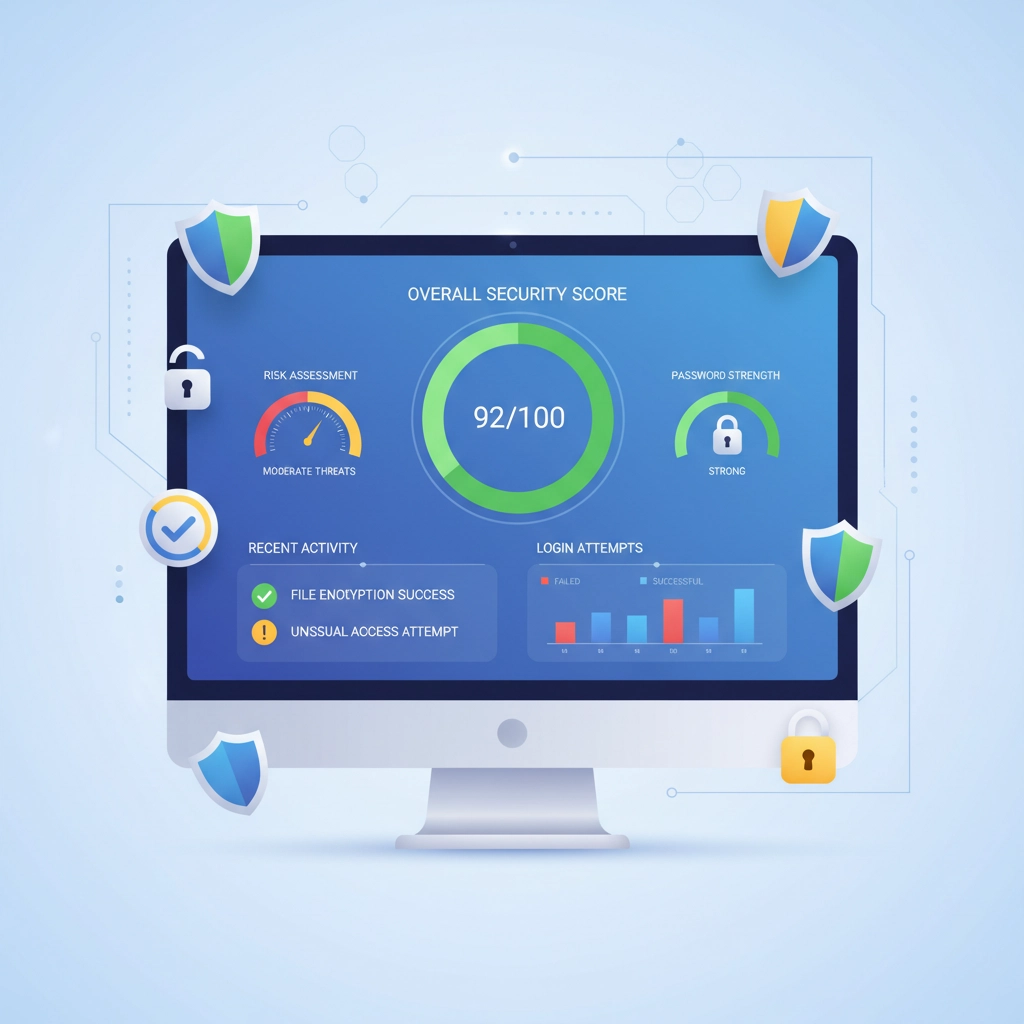
Pro tip: Run audits monthly and set a goal to improve your security score by 10 points each quarter. It's like a fitness tracker for your cybersecurity!
Stay One Step Ahead with BreachWatch Monitoring
Data breaches happen constantly: over 4,000 per day according to recent statistics. But here's the thing: you might not know your credentials are compromised until it's too late. That's where BreachWatch comes in.
This advanced monitoring service continuously scans the dark web and breach databases for any of your stored credentials. When it finds a match, you get an immediate alert with clear instructions on what to do next.
Real-world example: One of our Gaylord clients received a BreachWatch alert about their vendor portal password appearing in a breach. Because they caught it early, they changed the password before any unauthorized access occurred. Without BreachWatch, they might have discovered the compromise weeks later through a security incident.
The monitoring covers:
- Public data breaches
- Dark web credential sales
- Password dumps from cybercriminal forums
- Government and industry breach notifications
What makes this even better: BreachWatch doesn't just tell you there's a problem: it guides you through the solution, making password updates straightforward even for non-technical team members.
Transform File Security with Keeper's Vault Storage
Password management is just the beginning. Keeper's secure file storage capability turns your vault into a comprehensive security hub for all your sensitive business documents.
Think beyond passwords and consider these use cases:
- SSH keys and certificates for IT infrastructure
- Software license keys that cost thousands to replace
- Customer contracts with confidential terms
- Financial documents requiring HIPAA or SOC compliance
- Emergency contact information for critical vendors
Each file gets the same military-grade encryption as your passwords, but with the added benefit of organized storage and controlled sharing. We've helped medical practices in Northern Michigan store patient data securely while maintaining HIPAA compliance, and manufacturing companies protect proprietary designs and vendor agreements.

Storage tip: Create folder structures that mirror your business processes. For example, organize by department (HR, Finance, IT) or by project, making it easy for team members to find what they need without compromising security.
Take Control with Role-Based Access Management
Not every employee needs access to everything: and Keeper's role-based access controls let you implement the security principle of "least privilege" without the administrative headache.
Here's how smart access control works:
- Department-based roles: Marketing team gets social media passwords, but not financial system access
- Seniority levels: Managers can share passwords with their teams, but staff cannot
- Geographic restrictions: Remote workers can only access systems from approved locations
- Time-based controls: Temporary contractors get access that automatically expires
One of our clients, a growing retail business in Charlevoix, used role-based access to solve a common problem: seasonal employees needed access to point-of-sale systems, but not to financial data or vendor accounts. With Keeper's granular controls, they created a "Seasonal Staff" role that provided exactly the right level of access: no more, no less.
Implementation strategy: Start with broad roles and refine them over time. It's easier to grant additional access later than to remove excessive permissions that people have grown accustomed to using.
Automate Password Changes for Maximum Security
Here's where Keeper really shines: automated password rotation for supported websites and applications. Instead of manually updating passwords across dozens of systems, you can schedule automatic changes that happen without any effort on your part.
The automation covers popular business platforms like:
- Microsoft 365 and Office applications
- Google Workspace accounts
- Banking and financial systems
- Cloud storage services (Dropbox, OneDrive)
- Social media business accounts
Real-world impact: A construction company we support had 47 different online accounts for vendors, suppliers, and government portals. Manual password updates took their admin person 3 hours every quarter. With automated rotation, it happens overnight without any staff time required.
Best practice: Schedule password changes during low-activity periods (like Sunday mornings) and always test critical systems afterward to ensure everything works smoothly.
How NTS Helps You Succeed with Advanced Keeper Features
Implementing these advanced features can feel overwhelming, but that's where our local expertise comes in. As your Northern Michigan IT partner, we don't just set up Keeper and walk away: we ensure your team gets maximum value from every feature.
Our comprehensive approach includes:
Initial Configuration: We analyze your business processes and configure Keeper's advanced features to match your specific workflow and security requirements.
Team Training: We provide hands-on training sessions that go beyond basic password storage, showing your staff how to use auditing, breach monitoring, and secure file sharing in their daily work.
Ongoing Optimization: Technology evolves, and so do cyber threats. We regularly review your Keeper setup and recommend adjustments that keep you secure and efficient.
Local Support: When you have questions about a breach alert or need help with role assignments, you can reach our Harbor Springs team directly: no waiting in phone queues with distant support centers.
Quick Wins: Start Using Advanced Features Today
Ready to level up your Keeper Security usage? Here are three things you can implement this week:
- Run your first security audit and focus on fixing the highest-risk passwords identified
- Set up BreachWatch alerts for your most critical business accounts
- Create one shared folder for your team's most frequently accessed resources
These small steps will give you immediate security improvements and demonstrate the value of Keeper's advanced capabilities to your entire organization.
Remember, cybersecurity isn't a one-time setup: it's an ongoing process that requires the right tools and the right expertise. With Keeper Security's advanced features and NTS's local support, your Northern Michigan business can stay secure, compliant, and productive in an increasingly complex digital landscape.
Ready to unlock Keeper's full potential for your business? Contact our team for a free assessment of your current setup and a personalized plan to implement these advanced features. We'll help you transform password management from a necessary task into a competitive advantage.